Ontario dental clinics get more Google reviews by asking every patient consistently at the right moment, providing a direct link, and responding to every review within 48 hours. Dentist Spark helps dental offices across Ontario build compliant review systems that improve local search visibility without violating Google’s policies or RCDSO advertising guidelines.
Key Takeaways
Key Takeaways
✓ Higher Google review volume and ratings directly boost visibility in local search rankings — practices with 50+ reviews earn 266% more leads than those with fewer than 10.
✓ Google prohibits incentivising reviews — offering discounts, free services, or payment in exchange for a positive review violates Google’s review policies and risks account suspension.
✓ The RCDSO prohibits Ontario dental clinics from posting patient testimonials on clinic websites — display your Google star rating and review count as social proof instead.
✓ 88% of consumers trust online reviews as much as personal recommendations — a dental clinic’s Google review profile is one of the most influential patient acquisition tools it has.
✓ Asking immediately after a positive patient experience is the highest-converting review request moment — timing matters as much as the ask itself.
Before You Start
This guide is for dentists, practice managers, and dental office teams across Ontario — whether your clinic offers general dental care, oral health education, book online convenience, one visit cosmetic procedures, payment plans for comprehensive treatments, assistance with CDCP coverage who want to build a consistent, compliant Google review strategy. It covers the exact steps, the compliance rules that apply in Ontario, and the point at which a manual approach stops being adequate. If your dental clinic is already receiving patients but has fewer than 30 Google reviews, you are almost certainly losing new patients to competitors with stronger review profiles.
What You Need
• A verified Google Business Profile — claimed and fully completed with accurate dental clinic hours, dental services, photos, and address
• A direct review link — the short URL from your Google Business Profile that sends patients directly to the review form
• A PHIPA-compliant review request process — one that does not confirm the patient relationship in any public communication
• A response template — PHIPA-compliant, professional, and ready for both positive and negative reviews
• An SMS or email platform — to automate review requests sent within two hours of a dental appointment
• Knowledge of RCDSO guidelines — particularly the prohibition on patient testimonials on dental clinic websites in Ontario
• A compassionate approach to timing — never ask immediately after a difficult dental emergency, or when a patient expressed concerns during the appointment

Safety and Prerequisites
Ontario dental clinics operate under RCDSO advertising rules, PHIPA (Ontario), and PIPEDA (federal). The dental advertising rules in Canada and the US differ — HIPAA applies to US only. Never confirm a patient relationship in a public response. Never offer an incentive. Never filter who gets asked — review gating violates Google’s policies.
Step-by-Step: How to Get More Google Reviews for Your Dental Clinic
Compliant vs. Prohibited — Google Review Requests
| Action | Compliant? | Rule |
| Ask every patient equally after their dental appointment | ✓ Yes | Google requires equal opportunity — no filtering |
| Send a direct link via SMS within 2 hours of appointment | ✓ Yes | Permitted — no incentive, no pressure |
| Send one follow-up email if no response after 24 hours | ✓ Yes | One follow-up is acceptable |
| Offer a discount or free service for a positive review | ✗ No | Violates Google policy — account suspension risk |
| Ask only patients you think will leave 5 stars | ✗ No | Review gating — prohibited by Google |
| Post a patient’s review quote on your dental website | ✗ No (Ontario) | RCDSO prohibits patient testimonials on clinic websites |
| Display your Google star rating count on your website | ✓ Yes | Aggregate rating display is permitted |
| Respond to a review naming the patient’s treatment | ✗ No | Violates PHIPA — never confirm patient relationship publicly |
Step 1 — Set Up Your Google Review Direct Link
Log in to your Google Business Profile at business.google.com and navigate to ‘Get more reviews.’ Copy the short URL — this direct link sends patients straight to your review form without requiring a Google search. Test it on both desktop and mobile to confirm it routes correctly.
Result: the direct link opens a Google review prompt with your dental clinic’s name and star rating selector immediately visible.
Step 2 — Build Your Review Request Message
Write a short, PHIPA-compliant review request message. A compliant example: ‘Hi [first name] — thank you for choosing us. If you have a moment, we would appreciate a Google review. It helps other patients find us: [direct link].’ Keep it under 160 characters for SMS. Do not mention the treatment, dental appointment time, or any health care detail.
Result: your SMS platform shows delivery confirmation. Review requests sent within two hours of a dental appointment convert at the highest rate — schedule automation to trigger within this window.
If It Does Not Work First Time
If patients are clicking the direct link but not completing a review, the link may be routing to a sign-in screen for patients without a Google account. For these patients, a QR code at the dental office reception desk — linking to the same direct review URL — captures the booking before they leave. Place it on your checkout counter, printed receipt, or appointment card.
Most Common Cause
Patients clicking the link but not completing the review typically do not have an active Google account. A QR code at the dental clinic desk catches these patients before they leave the office.
Stop Here If You See This
A suspended Google Business Profile makes all review requests ineffective.
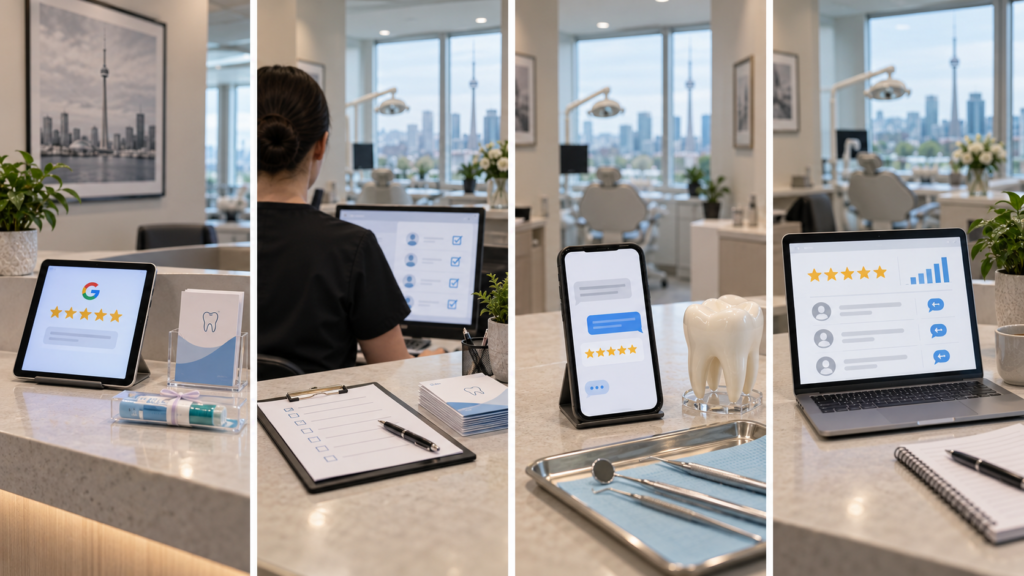
Step 3 — Ask at the Right Moment and Through the Right Channel
The right moment is immediately after a patient expresses satisfaction — at checkout, after a pain-free dental appointment, or following a successful treatment outcome. Train your dental hygienist, reception staff, and office manager to make the ask naturally: ‘We are glad you had a great experience. Would you mind leaving us a Google review? It helps new patients find us.’
How to get more dental reviews without breaking the rules covers the full SMS, email, and QR code comparison — and which combination produces the highest review volume.
Step 4 — Respond to Every Review Within 48 Hours
Respond to every Google review — positive and negative — within 48 hours. For positive reviews: acknowledge generically, thank the patient, three sentences maximum. For negative reviews: acknowledge the concern without confirming the patient relationship and invite the patient to call the dental office directly.
Result: every review has a response in your Google Business Profile. Unanswered reviews signal neglect to patients searching for a dental clinic in downtown toronto or comparing the best dentists in their area.
When DIY Stops Being Sensible
A manual review request process — where a staff member individually texts or emails patients after each dental appointment — is manageable for a dental clinic seeing 20 to 30 patients per week. Once patient volume exceeds 40 per week or the dental office adds a second location, manual review requests become inconsistent. Some patients get asked, others don’t. Review volume plateaus. The gap between your clinic’s review count and a competitor with an automated system compounds month by month. At that point, dental SEO services that include automated review request systems, PHIPA-compliant response templates, and monthly review volume reporting are a more reliable investment than continued manual effort.
A single unresolved negative review on a thin profile — fewer than 15 total reviews — can drop a Google star rating by half a point. Whether Google Ads or dental SEO is the right investment depends on timeline — but a review management system should run in parallel with any paid search investment.
What a North York Dental Marketing Professional Does Differently
Dentist Spark automates review requests for Ontario dental clinics — every patient, every visit. Every dental office builds consistent review volume without missing a single patient. Our PHIPA-compliant response templates cover dental implants, cosmetic dentistry services, broken tooth, root canal, wisdom teeth removal, and dental emergencies — never confirming clinical details.
We monitor review patterns monthly. What AEO means for dental practices covers how Google’s AI-generated search summaries pull from review content — making review management a core part of dental issues resolution and search visibility strategy.

Frequently Asked Questions
How do dental clinics get more Google reviews and boost dental appointments for accepting new patients?
Ask every patient equally after their dental appointment using a direct link to your Google review form. Send the request via SMS within two hours of the visit. Respond to every review within 48 hours. Never offer an incentive, never filter which patients receive the request, and never confirm clinical details in a response. These four rules keep a dental clinic compliant with both Google’s policies and Ontario’s PHIPA requirements.
Can a dentist in toronto at their dental office respond to negative Google reviews professionally?
Yes — and they should, within 48 hours. A dentist in toronto or any Ontario dental office must respond without confirming the patient relationship or referencing clinical details. A compliant response acknowledges the concern generically: ‘We take all patient feedback seriously and would welcome the chance to address your concerns directly — please contact our dental office at [phone number].’ Never argue publicly or confirm appointment details.
Does the Canadian Dental Care Plan and cdcp information affect Google reviews for dental implants and dental care?
Yes — indirectly. Dental clinics that communicate CDCP information clearly attract patients searching for accepting new patients who take the plan. These patients often mention cdcp fees, cdcp information, and coverage in reviews. Monitoring these patterns helps a dental office identify which services and insurance providers drive new patient acquisition through review-informed searches.
What direct billing, insurance providers, and downtown toronto dental care details belong in review responses?
Never confirm specific patient insurance details in a public response — PHIPA violation risk. Instead include direct billing and insurance providers information on your Google Business Profile and use a response template: ‘We offer direct billing with most insurance providers and accept the Canadian Dental Care Plan — please contact our downtown toronto dental office for details.’
About Dentist Spark
Dentist Spark is a dental marketing agency based in North York, Ontario, working exclusively with dental clinics across the Greater Toronto Area and Ontario. Our dental SEO services include full Google Business Profile optimisation, PHIPA-compliant review request automation, review response template development, and monthly review volume reporting — all built for the Ontario dental market and RCDSO compliance requirements. We help the best dentists in North York and across Ontario build the review profiles that earn patient trust before a first visit.
Service Area
Dentist Spark serves dental clinics in North York, downtown Toronto, Etobicoke, Scarborough, Mississauga, Markham, Vaughan, Richmond Hill, and across Ontario. Whether your dental office serves families across generations — adults and children — offers comprehensive care including dental implants, cosmetic dentistry services, wisdom teeth removal, sedation, dentures, crowns, bridges, gum treatments, or dental emergency treatment, we build review systems for the whole family of services your clinic provides. Our expertise helps practices that open early build a stronger review profile.
Next Step
If your dental clinic’s Google review count is not growing consistently, dental SEO services from Dentist Spark start with a free review profile audit — we assess your current review volume, response rate, star rating trend, and the compliance gaps in your current review request process. No commitment required.
Dentist Spark | Google Reviews for Dental Clinics | Ontario | North York | DentistSpark.com